
PeelSub Batch Subtitle Removal: Clear the Text, Preserve the Picture
PeelSub removes fixed-position burned-in subtitles in batches and organizes processed videos for editing, localization, and distribution.

Every new batch brings another round of uploading, waiting, checking results, and sorting files. The software may remove the text, but someone still has to keep each video moving through the job.
PeelSub handles fixed-position burned-in subtitle removal as a managed batch service. Teams provide their footage and requirements; PeelSub removes the subtitles, reconstructs the affected image areas, and organizes the processed files for delivery. The videos can then move into editing, translation, or the addition of new subtitles.
Repetitive processing should not occupy the whole team
With a handful of clips, handling each file yourself can be practical. With dozens of episodes, the challenge becomes completing the entire batch without tying up editors and operations staff.
Each file needs to enter processing. Someone has to check its progress and output, then match the result to the right episode and filename. None of these actions is especially complicated, but repeating them across a series creates a substantial workload. Queues, missed files, and mismatched outputs become harder to track as the volume grows.
Batch subtitle removal should let the team hand over a project and receive an organized set of results. PeelSub takes on the repeated processing and file-handling work so editors can stay focused on production.
Teams can describe the job in practical terms: how many videos they have, where the existing subtitles appear, and what they plan to do with the footage afterward. Operations staff do not need to learn processing settings before explaining the outcome they need.
Remove the text while protecting the surrounding image
Burned-in subtitles are part of the video image. They cannot be switched off like a separate subtitle track. A solid mask covers the background along with the words, while blur can leave a conspicuous band throughout a scene.
PeelSub identifies the position and edges of fixed-position subtitles, removes the text, and reconstructs the local image areas it covered. The aim is to clear the subtitles while preserving as much of the original picture's clarity and integrity as possible.
Faces, patterned clothing, and changing backgrounds make processing artifacts especially noticeable. A broad rectangular treatment can affect useful picture detail around the letters. When a character moves through that region, the resulting softness may become even more distracting.
Keeping the treatment focused on the text-covered areas helps limit that impact. For the viewer, the practical test is whether the people and background still look natural after the subtitles are gone. The processed footage needs to remain watchable and suitable for further production.
Hand over a series as one project
Batch handling extends beyond putting more files into a queue. A series can share one brief, one processing scope, and an organized delivery, reducing the need to assign and follow up on every episode separately.
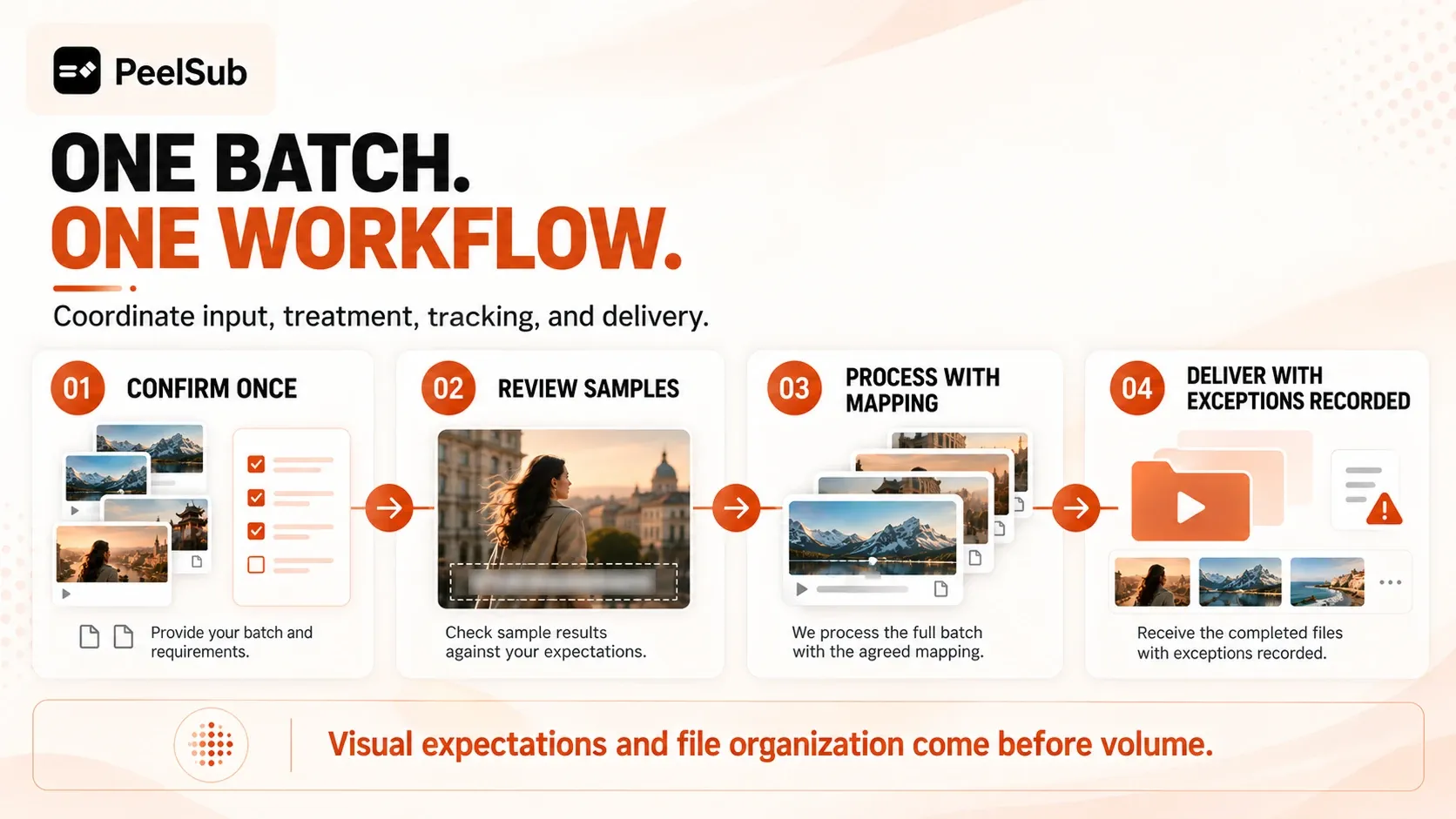
Teams can provide accessible cloud-storage or video links for larger collections. This can reduce intermediate handling, such as downloading all the footage locally before uploading each file again.
A short drama can be submitted as a complete series; courses and existing video libraries can be grouped into batches. The team explains the material and its intended use together, instead of repeating the same instructions at every handoff.
One project-level handoff reduces both repetitive operations and repeated communication. Editors spend less time tracking which episode still needs an export or which file has yet to enter processing.
Keep every processed video matched to its source
A finished batch still creates work if nobody can tell which output belongs to which source. Confused episode order or filenames can consume the time saved during processing.
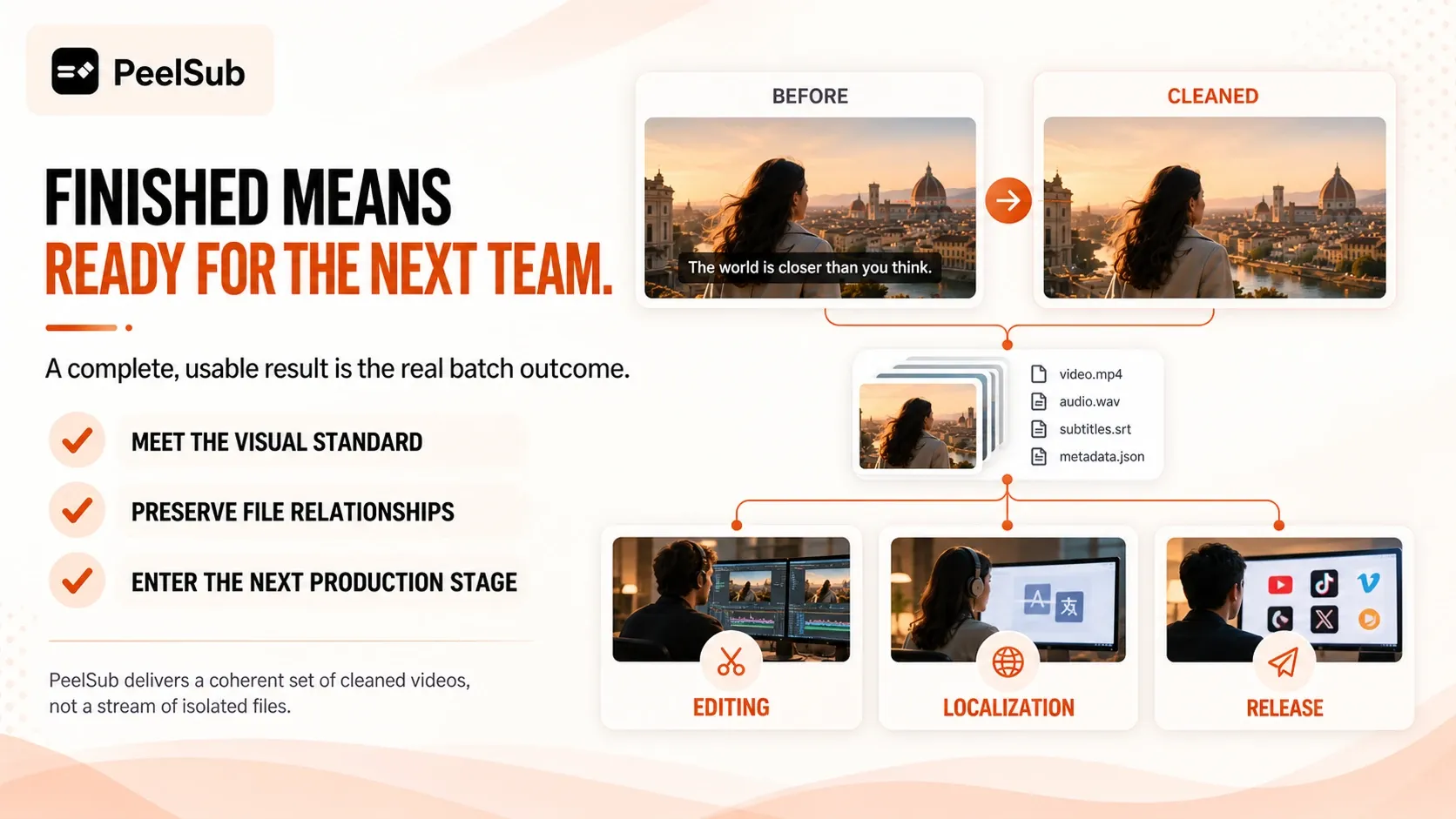
PeelSub organizes results by project, maintaining a clear relationship between the original material and the processed videos. Project leads can identify completed episodes, and the next collaborator can find the footage they need.
That correspondence supports the work that follows: translation, dubbing, new subtitle placement, editing, and distribution. The people handling those stages should be able to locate the correct video without reconstructing the delivery from scratch.
Useful batch delivery includes files the team can confidently pick up and continue working with. Clear organization prevents subtitle removal from creating a new round of matching and filing tasks downstream.
Put production time back into the content
Editors need time for pacing, storytelling, and adapting versions for their intended audience. Repeated uploads, progress checks, and file sorting take attention away from those decisions.
Outsourcing fixed-position subtitle removal as a batch gives the team organized footage from which to continue localization and production. The less attention the intermediate processing requires, the more directly the service supports the next creative stage.
For a short drama, course, or video series, prepare the files or accessible links, the video count, subtitle locations, and intended use. PeelSub can take on the project and deliver organized results, helping the team move from subtitle removal into the next stage of production.
Learn more about PeelSub
Visit the website: PeelSub official website
Submit your project: Contact us